
Top 10 AI Presentation Maker Platforms for Non-Designers
AI presentation maker platforms have evolved from experimental toys into essential professional infrastructure—and the market data proves it. In 2025, this sector hit $2 billion globally, growing at a blistering 25% annually. Yet here’s the paradox: while nearly half of all presenters still spend over 8 hours manually designing a single deck, early adopters of AI presentation tools are cutting that time by 40-80%.
If you’re still building slides from scratch, you’re not preserving quality. You’re simply working harder, not smarter.
In this article, you will discover what actually works and which AI presentation maker platform fits your specific workflow.
Key Takeaways
- Gamma AI leads for modern, responsive presentations that adapt seamlessly to any device screen size.
- NotebookLM is the best choice when factual accuracy matters more than visual flash, using source-grounded AI to eliminate hallucinations.
- AI presentation tools reduce design time by 40-80% through intelligent automation and template generation.
- Always fact-check AI-generated content before presenting to avoid embarrassing factual errors in your slides.
Why AI Presentation Tools Matter for Non-Designers
Most professionals aren’t trained designers. Yet we all need to present ideas clearly and persuasively. First impressions matter in business communications, and sloppy slides undermine your credibility instantly.
AI presentation maker platforms democratize professional-quality design. You don’t need to understand color theory or layout principles. The AI handles visual decisions while you focus on your message.
The numbers tell the story. AI tools reduce design time by 40% through automation. That’s hours reclaimed every week for actual work, not formatting struggles.
“The market growth isn’t just hype. I’ve watched my own team adopt these tools—productivity increased 3x within two months of implementation.”
Who Benefits Most from AI Presentation Tools?
| User Type | Primary Benefit | Time Saved Per Deck |
| Business Professionals | Quick client pitches | 4-6 hours |
| Educators | Lesson materials | 3-5 hours |
| Marketers | Campaign presentations | 5-8 hours |
| Students | Class projects | 2-4 hours |
| Consultants | Client deliverables | 6-10 hours |
| Freelancers | Fast project delivery | 6-10 hours |
Why Should Non-Designers Use AI Presentation Tools?
Non-designers should use AI presentation tools because they eliminate technical barriers while maintaining professional-quality output. You get polished slides without learning complex design software. The AI handles formatting, spacing, and visual hierarchy automatically.
The 10 Best AI Presentation Maker PlatformS
1. Gamma AI
URL: gamma.app
Best For: Overall versatility and speed
Gamma stands out as the leading AI presentation maker platform’s choice in 2026. It generates polished decks from simple prompts faster.
Gamma is my daily driver. I’ve created 100+ projects with it, and it consistently delivers. The speed-to-quality ratio is unmatched.
Key Features:
- Multimedia storytelling with embedded content
- Flexible structuring and styling options
- One-click theme changes across entire decks
- Real-time collaboration capabilities
Pricing: Free tier available. Paid plans start at $10/month.
Ideal User: Everyone from students to executives who need reliable, fast results.
2. Presentations.AI
URL: presentations.ai
Best For: Visual hierarchy and brand control
Presentations.ai markets itself as “the only true AI-native platform for business”—and it delivers specifically on outcomes that matter to founders and sales teams.
Key Features:
- Better control over visual hierarchy than competitors
- Simple, quick visuals for brainstorming sessions
- Intuitive linear workflow for straightforward creation
- Enterprise-grade brand consistency features
Pricing: Free tier available. Enterprise pricing on request.
Ideal User: Startup founders raising capital, sales teams pitching enterprise clients, anyone where presentation quality directly impacts revenue.
People Also Read: Create and Sell Interactive Slides with Lovable AI for Premium Rates
3. Flowith IO
URL: https://flowith.io/
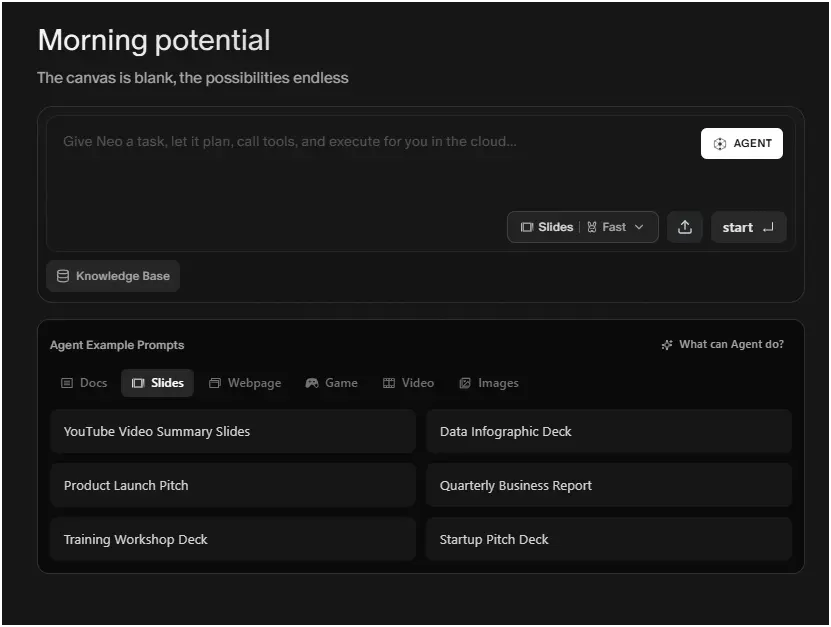
Best For: Advanced AI workflow automation
Flowith IO reimagines the AI interaction model entirely. Instead of linear chat, it uses a 2D visual canvas where users see the AI’s “thought process” as it builds presentations
Key Features:
- Knowledge Garden for context and persistent memory
- Agent-based automation beyond traditional chatbots
- Multi-step presentation generation workflows
- Advanced customization for power users
Pricing: New users welcome AI credits. Premium plans available.
Ideal User: Power users who want maximum AI control over their presentation creation process.
4. Manus AI
URL: https://manus.im/
Best For: Structured reasoning and data-heavy presentations
Manus AI doesn’t just generate slides—it executes entire workflows. Positioned as a general-purpose autonomous agent, it conducts deep research, identifies competitors, writes copy, and builds presentations without constant user intervention.
Key Features:
- Excels at logical content organization
- Strong automation capabilities for complex decks
- Professional output quality for business contexts
- Data visualization integration
Pricing: Limited free access (300 free credits daily). Paid tiers for full features.
Ideal User: Business operations teams who need end-to-end execution without micromanaging the AI. If you value comprehensive research over concise delivery, Manus delivers.
5. Skywork AI
URL: https://skywork.ai/
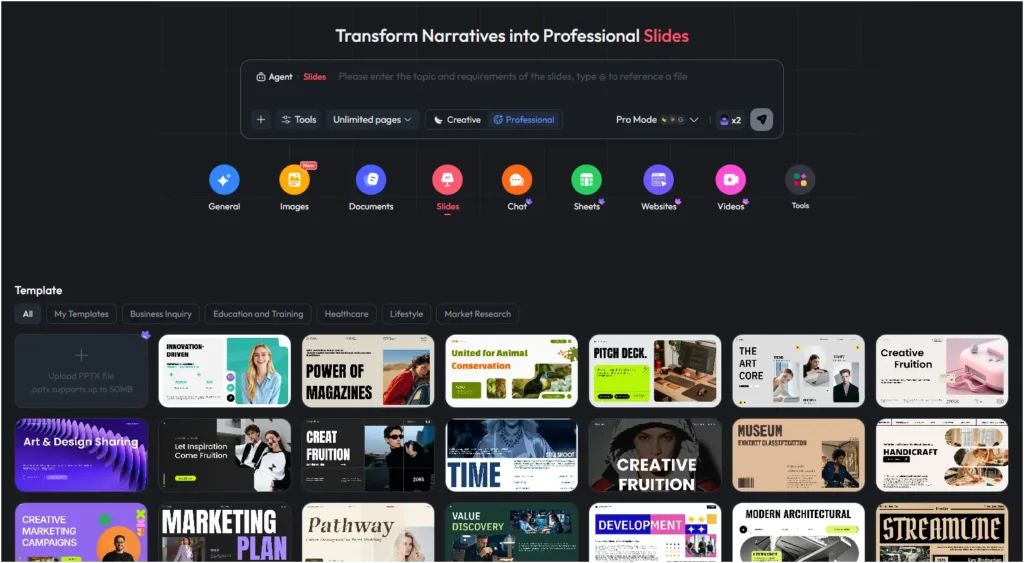
Best For: Enterprise-level presentations with flexible page control
Skywork transforms narratives into professional slides with unprecedented control. The platform offers granular page-count options, from 5 slides to unlimited, letting you match deck length to your presentation needs exactly.
Key Features:
- Flexible page count controls (5 to 20+ slides per deck)
- Creative and Professional mode toggles for different output styles
- Pro Mode with multiple AI models, including Claude Sonnet and Gemini
- 50+ template categories spanning Business, Education, Healthcare, and Market Research
- Upload existing PPTX files up to 50MB for AI enhancement
- Multi-content support including Images, Documents, Sheets, Websites, and Videos
Pricing: Free Mode covers essential presentation needs. Pro Mode unlocks deep search integration and visually polished slides with premium AI models.
Ideal User: Enterprise teams and marketing departments needing scale with precise control over deck structure and length.
6. NotebookLM
URL: https://notebooklm.google.com/
Best For: Research-based presentations
When factual accuracy is non-negotiable, NotebookLM stands alone. Developed by Google, this AI-powered research assistant eliminates the hallucination problem that plagues general-purpose AI presentation maker platforms.
Unlike tools that pull from general internet knowledge, NotebookLM generates content exclusively from your uploaded materials—PDFs, Google Docs, websites, and YouTube links. This “source grounding” ensures every claim traces back to verifiable documentation
Key Features:
- Google-backed AI infrastructure
- Source-grounded content generation
- Citation and reference management built in
- Research document integration
Pricing: Free with a Google account; advanced features through Google One AI Premium.
Ideal User: Academics, researchers, and content strategists.
Looking to learn more about how to leverage AI in your freelancing? Read this article on: Freelancing with AI in 2026 and Beyond
7. Kimi AI (Kimi Slides)
Best For: Quick turnaround presentations
Kimi Slides (by Moonshot AI) demolishes the “you get what you pay for” assumption. It offers unlimited free generation, with capabilities that rival those of expensive competitors.
Kimi employs “Agent Swarm” technology—up to 100 specialized agents working in parallel to research, structure, and design your deck simultaneously. This parallel processing produces results faster than sequential tools without sacrificing quality.
Key Features:
- Specialized slide creation focus
- Editable outline
- Clean, professional templates ready to use
- Use Nano Banana image generation in slide creation
Pricing: Free tier available. Premium options for scale.
Ideal User: High-volume users who need professional results without budget approval, or anyone who wants premium quality at zero cost.
8. Qwen Chat
Best For: Multi-modal content creation
Qwen Chat leverages Alibaba’s Qwen-Image model to solve a problem most AI presentation maker platforms ignore: unified visual generation.
Most tools generate images, then layer text on top. Qwen creates entire slides as cohesive, high-resolution visuals—text, layout, and graphics generated simultaneously.
Key Features:
- Alibaba’s advanced AI model technology
- Uses Alibaba’s best Qwen Image models that adhere to perfect text rendering
- Strong language understanding capabilities
- Multi-language presentation support
Pricing: Free and premium access available.
Ideal User: International businesses, technical fields requiring precise data visualization, and non-English primary users.
9. Chat.z.ai
URL: https://chat.z.ai/
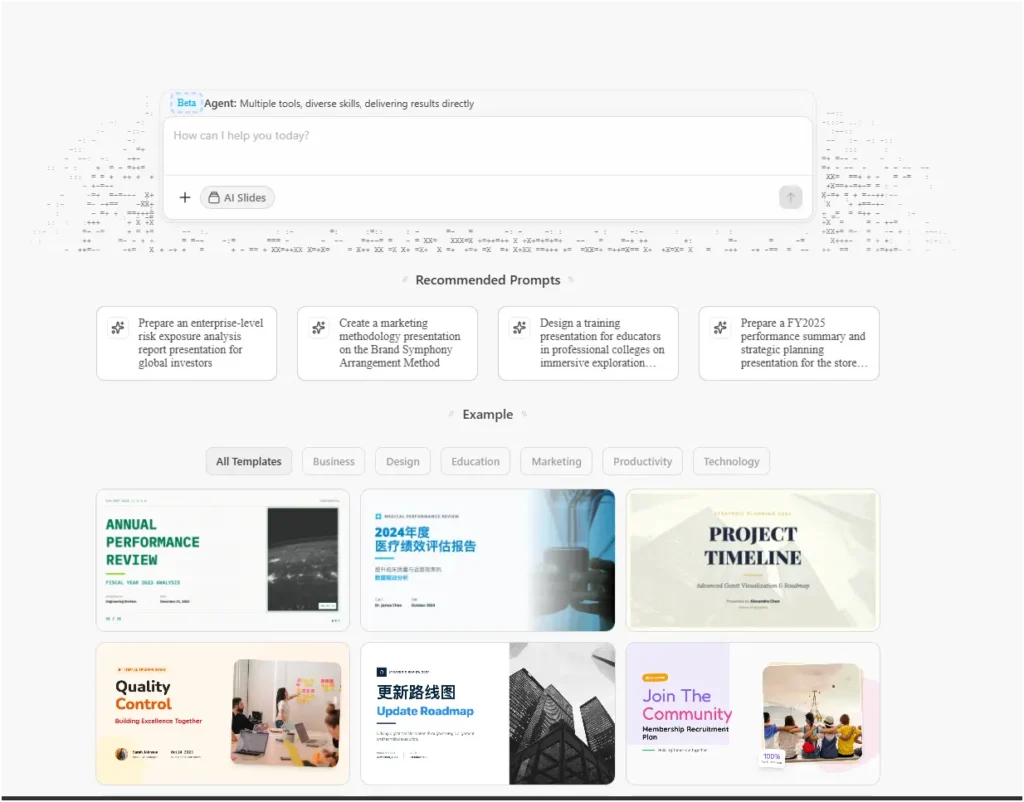
Best For: Conversational presentation building
The conversational approach feels natural. You refine slides like you’re talking to a designer across the table.
Powered by GLM AI models, Chat.z.ai demonstrates advanced reasoning and coding capabilities. It performs agentic web research during slide creation, retrieving cutting-edge sources that competitors miss.
Key Features:
- Chat-based interface for intuitive creation
- Iterative refinement through conversation
- Easy customization without technical skills
- Beginner-friendly onboarding process
Pricing: Free tier available. Paid plans for advanced features.
Ideal User: Non-technical users and beginners starting with AI tools.
10. Minimax
Best For: Automated presentation workflows
The Minimax Agent (associated with Hailuo AI) specializes in transforming dense technical documentation into accessible presentations without losing essential nuance.
Minimax demonstrates specific proficiency with dense academic PDFs and research papers. It distills complex methodologies into conference-ready slides while maintaining logical “flow and rhythm” that makes technical subjects accessible to broader audiences
Key Features:
- Agent-based automation for hands-off creation
- Intelligent content suggestions throughout
- Streamlined workflow for busy professionals
Pricing: Limited free access. Premium plans available.
Ideal User: Busy professionals and executives needing quick decks.
The Hidden Cost of “Free” AI Presentation Tools
Here’s what feature lists won’t tell you: free tiers are loss leaders designed to create workflow dependency. You can build critical presentations on free plans, then hit export limits or watermark restrictions hours before the deadline.
The real cost isn’t monetary—it’s time spent learning a tool that may not scale. Before committing, test three platforms on identical projects. Most offer sufficient free functionality for legitimate evaluation.
Red Flags to Avoid:
- Export restrictions limiting you to PDF (no editable PPTX)
- Watermarks on free-tier output
- Limited template libraries forcing paid upgrades
- Unpredictable AI generation caps
Common Mistakes to Avoid with AI Presentation Tools
I made every mistake below so you don’t have to. Learn from my expensive lessons.
1. Over-Relying on AI Without Review
AI generates content quickly, not accurately. Review every claim, statistic, and statement before presenting. Your credibility depends on it.
2. Ignoring Brand Guidelines
AI doesn’t know your brand colors unless you tell it. Upload brand assets before generating decks. Consistent branding builds professional trust.
3. Choosing Based on Price Alone
Free tools work for testing. Paid plans justify costs through time savings. Calculate your hourly rate before deciding.
4. Not Testing Export Compatibility
Verify PowerPoint and Google Slides export before committing. Some platforms lock you into their ecosystem. Flexibility matters for client work.
People Also Read: How to Make Money with AI: The Ultimate & Proven Beginner’s Guide
Conclusion: Your Presentation Advantage Starts Now
The gap between these AI presentation maker platforms and traditional PowerPoint is larger than the gap between PowerPoint and overhead projectors. This isn’t incremental improvement—it’s a fundamental shift in who can create professional visual communication.
After eight years of testing productivity software, I can state confidently: “I can’t design” is no longer a valid limitation. These tools don’t just speed up creation—they elevate quality beyond what most users could achieve manually.
The best presentation you create this year might be the one where you let AI handle the heavy lifting, freeing you to focus on what actually matters—your message.
Frequently Asked Questions (FAQs)
Can AI presentation tools completely replace human designers?
Not for high-stakes creative direction—but they eliminate 80% of mechanical work. Use AI for structure and initial design, then apply human judgment for final polish and brand-specific nuances.
Why do some AI presentations look generic or “AI-written”?
Generic output usually stems from vague prompts. Specificity matters: instead of “create a marketing presentation,” try “create a 10-slide deck for Series A fintech startups targeting retail banks, emphasizing compliance advantages.”
Can AI presentation tools completely replace PowerPoint?
Most export to PowerPoint format, but some teams prefer native AI platforms. Test export compatibility before committing to ensure smooth client delivery workflows.
How much time do AI presentation tools actually save?
Expect an average 40-60% time reduction. A 6-hour manual deck becomes 1 hour with AI. The savings compound monthly across multiple presentations.